hardware guide
Best Budget Streaming Microphones Under $100 in 2026
Looking for the best cheap microphone for streaming? Explore our top picks under $100 that give beginner streamers pro-level clarity without breaking the bank.
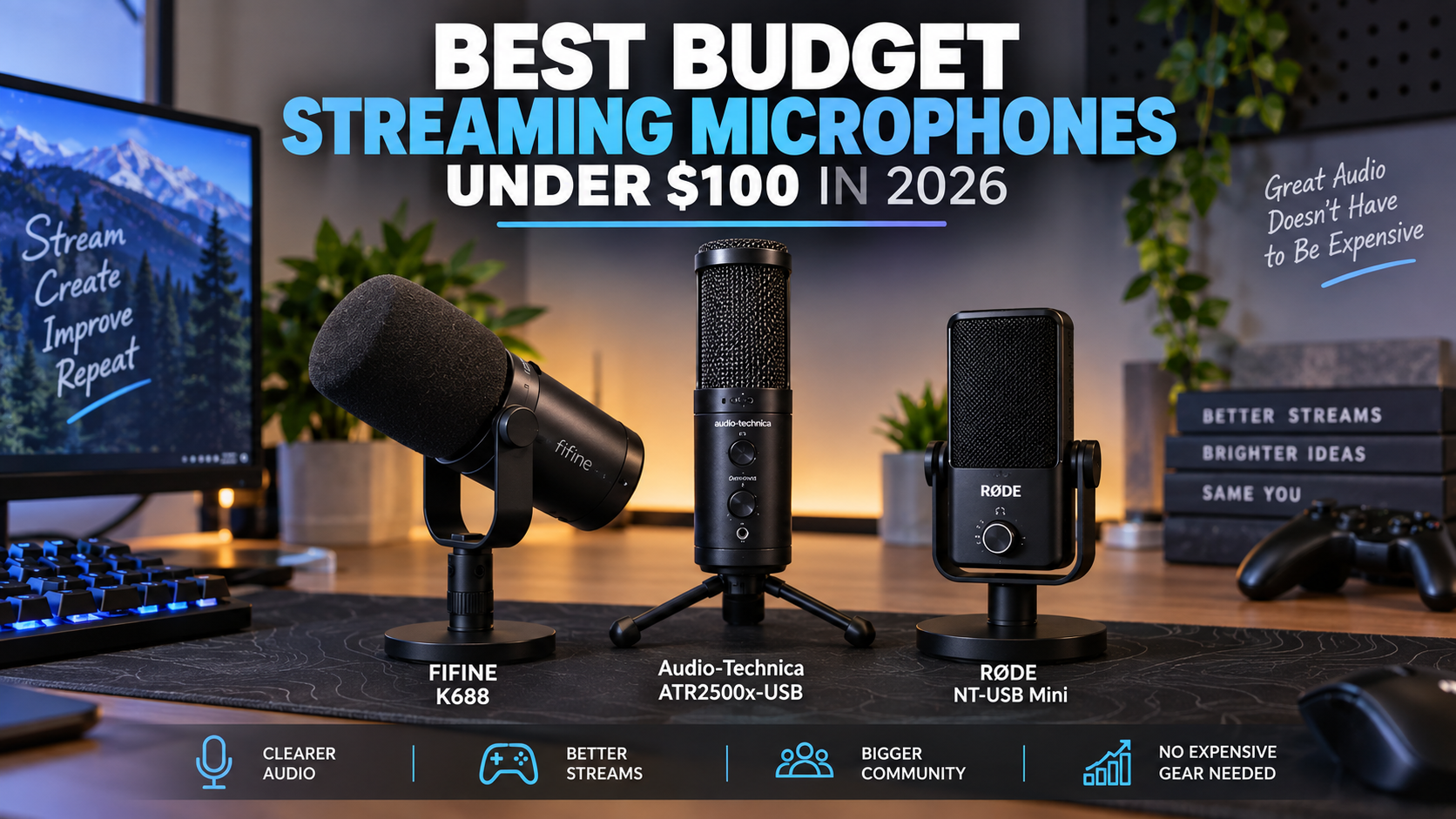
Starting a live stream or recording YouTube videos does not require a thousand-dollar audio studio. In fact, some of the best budget streaming microphones under $100 can deliver remarkably crisp, broadcast-ready vocals that rival high-end studio setups. Whether you are building your first Twitch setup or looking for an affordable upgrade from a headset mic, modern USB and hybrid microphones make achieving clean sound easier and more accessible than ever.
When shopping on a budget, the primary bottleneck is usually your environment rather than the hardware itself. Room echo, mechanical keyboard clatter, and computer fan noise can easily disrupt an inexpensive sensor if you do not understand how different capsules capture sound. This guide evaluates top sub-$100 options, breaks down the core technical differences you need to know, and helps you select the exact device that solves your audio setup challenges.
Key Takeaways
- Great streaming audio is entirely achievable under a $100 budget without needing expensive audio interfaces or studio foam.
- USB microphones offer true plug-and-play simplicity, letting you start streaming in seconds without complex audio routing.
- Dynamic microphones handle untreated rooms and background noise better, while condenser microphones capture more vocal air and detail.
- Prices can change, so check the current price before purchasing.
- Proper microphone placement and gain staging matter far more for sound quality than spending extra money on premium features.
- Built-in mute functions and headphone monitoring ports simplify your live broadcast workflow and prevent unexpected clipping.
- Upgrading your room acoustics with soft furnishings provides a massive audio quality boost for zero financial investment.
Quick Picks
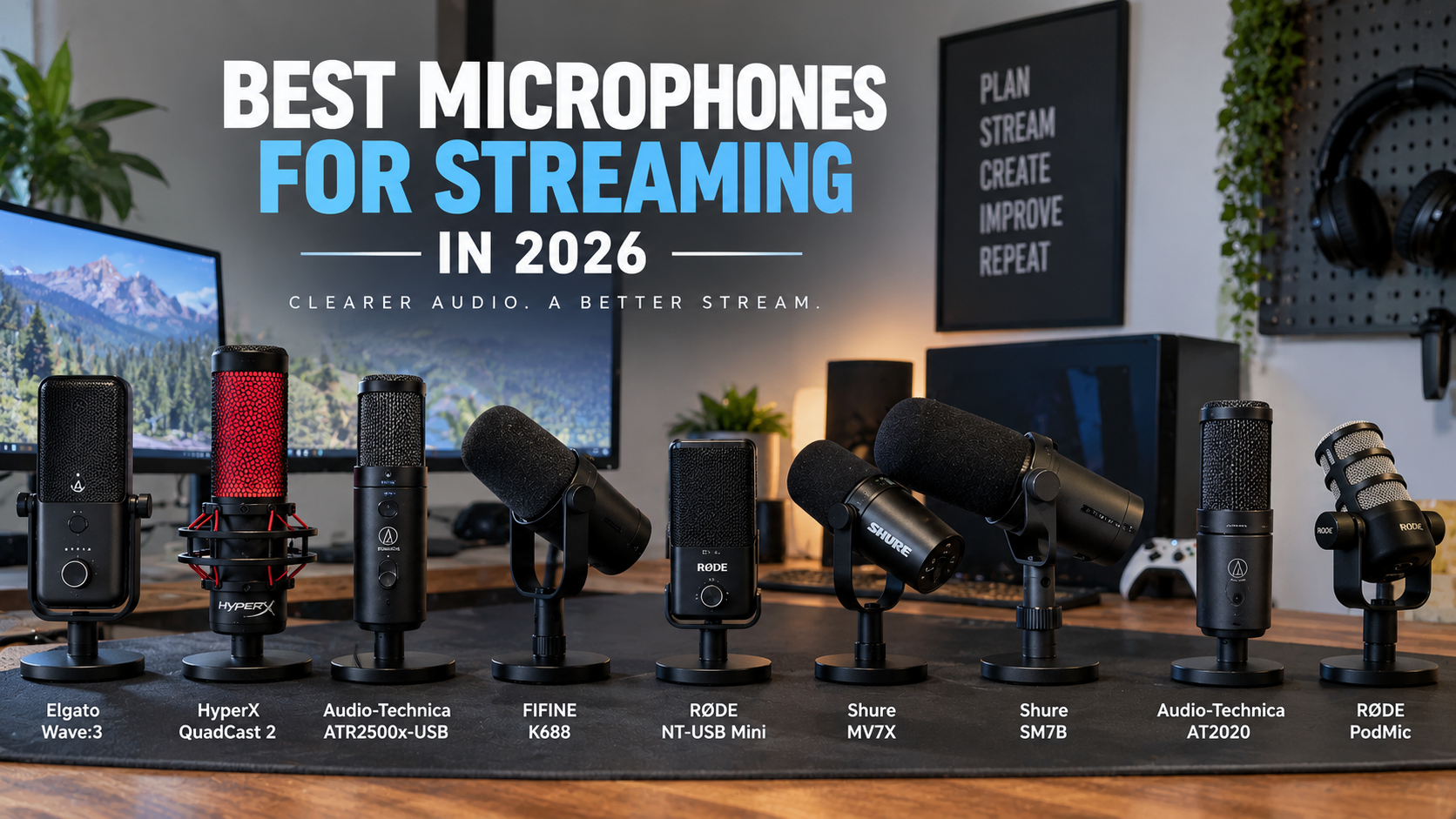
- FIFINE K688 — Streamers in untreated rooms dealing with background noise
- Audio-Technica ATR2500x-USB — Quiet streaming environments prioritizing vocal crispness
- Rode NT-USB Mini — Minimalist desk setups and simple plug-and-play operation
- Elgato Wave:3 — Streamers wanting advanced software routing and safety against audio clipping
- HyperX QuadCast 2 — Gamers and active streamers needing built-in shock absorption
Budget Streaming Microphone Comparison
| Microphone | Connection Type | Capsule Type | Best For | Key Feature |
|---|---|---|---|---|
| FIFINE K688 | USB / XLR | Dynamic | Untreated rooms & noise rejection | Dual USB/XLR outputs |
| Audio-Technica ATR2500x-USB | USB-C | Condenser | Crisp vocal detail on a budget | Side-address condenser capsule |
| Rode NT-USB Mini | USB-C | Condenser | Compact desks & minimal footprints | Magnetic desk stand |
| Elgato Wave:3 | USB-C | Condenser | Software mixing & clip prevention | Clipguard digital protection |
| HyperX QuadCast 2 | USB-C | Condenser | Active gaming & quick muting | Built-in shock mount & tap-to-mute |
FIFINE K688
Relevant option
Provides dual USB/XLR connectivity and dynamic capsule design to minimize background noise in untreated rooms.
Who it is best for
Streamers in untreated rooms dealing with background noise
Important features
- USB and XLR dual outputs
- Dynamic cardioid capsule
- Tap-to-mute button with LED indicator
- Integrated gain control dial
Pros
- Excellent rejection of keyboard and room noise
- Future-proof dual connectivity
- Solid metal build quality
Cons
- Slightly bulkier form factor
- Requires close positioning for optimal tone
FIFINE K688
View current specifications, availability, and pricing from the retailer.
Best for
Relevant option
Price and availability on Amazon
Check Price on AmazonAudio-Technica ATR2500x-USB
Relevant option
Delivers crisp side-address condenser performance ideal for clear vocal capture on a budget.
Who it is best for
Quiet streaming environments prioritizing vocal crispness
Important features
- Side-address condenser design
- Direct USB-C connectivity
- Headphone jack with volume control
- Low-mass diaphragm for superior transient response
Pros
- Natural and detailed vocal reproduction
- Trusted audio brand heritage
- Includes tripod desk stand and cables
Cons
- Picks up more room ambient noise than dynamic options
- Lacks physical mute button on body
Audio-Technica ATR2500x-USB
View current specifications, availability, and pricing from the retailer.
Best for
Relevant option
Price and availability on Amazon
Check Price on AmazonRode NT-USB Mini
Relevant option
Features a sturdy compact footprint with straightforward USB plug-and-play functionality for simple desk layouts.
Who it is best for
Minimalist desk setups and simple plug-and-play operation
Important features
- Studio-quality condenser capsule
- Detachable magnetic desk stand
- Integrated pop filter
- Zero-latency headphone monitoring
Pros
- Extremely compact and heavy-duty steel body
- Incredible ease of use with zero software required
- Magnetic base absorbs minor desk bumps
Cons
- Fixed gain and volume levels require OS adjustments
- No onboard hardware mute switch
Rode NT-USB Mini
View current specifications, availability, and pricing from the retailer.
Best for
Relevant option
Price and availability on Amazon
Check Price on AmazonElgato Wave:3
Relevant option
Offers digital mixing software integration and advanced clipguard protection for streamlined content creation.
Who it is best for
Streamers wanting advanced software routing and safety against audio clipping
Important features
- Proprietary Clipguard anti-distortion technology
- Wave Link digital mixing software integration
- Multifunctional control dial
- Tight cardioid condenser capsule
Pros
- Prevents sudden audio distortion from loud outbursts
- Powerful software mixing for separate stream and headphone tracks
- Sleek aesthetic design
Cons
- Higher end of the budget spectrum
- Relies on companion software for full feature access
Elgato Wave:3
View current specifications, availability, and pricing from the retailer.
Best for
Relevant option
Price and availability on Amazon
Check Price on AmazonHyperX QuadCast 2
Relevant option
Includes an integrated shock mount and convenient tap-to-mute sensor tailored for active streaming setups.
Who it is best for
Gamers and active streamers needing built-in shock absorption
Important features
- Integrated anti-vibration shock mount
- Convenient tap-to-mute sensor with status LED
- Multiple selectable polar patterns
- Adjustable gain control dial
Pros
- Reduces desk vibration and bumps effectively out of the box
- Intuitive tap-to-mute prevents accidental hot-mic moments
- Visually striking aesthetic for gaming streams
Cons
- Larger footprint takes up more visual space on camera
- Condenser capsule requires a relatively quiet room
HyperX QuadCast 2
View current specifications, availability, and pricing from the retailer.
Best for
Relevant option
Price and availability on Amazon
Check Price on AmazonWhat $100 Gets You in a Streaming Microphone
A budget of $100 places you in a sweet spot for modern desktop audio gear. Manufacturers have dramatically closed the gap between entry-level hardware and professional equipment, meaning you no longer have to settle for muffled, tinny capsule designs.
At this price point, you can generally expect durable metal or sturdy composite construction, integrated headphone monitoring jacks for zero-latency listening, and direct USB connectivity that bypasses the need for an external audio interface. Many models also include useful physical controls like gain dials and mute buttons right on the chassis.
- Direct plug-and-play USB connection compatible with PC and Mac
- Zero-latency headphone monitoring jacks for real-time audio checks
- Sturdy desk stands or universal threaded mounts for boom arms
- Integrated physical gain control and quick mute functionality
Build Quality and Materials
While ultra-cheap microphones often rely entirely on lightweight plastic that resonates with desk vibrations, sub-$100 options usually feature robust metal grilles and weighted housings. This structural integrity reduces unwanted physical handling noise and ensures your hardware survives daily streaming sessions.
- Metal grilles protect delicate internal acoustic components
- Weighted desk bases prevent accidental tip-overs during intense gameplay
Digital Conversion and Resolution
Microphones in this price tier typically handle digital-to-analog conversion internally at standard broadcast rates of 24-bit/48kHz or higher. This guarantees clean signal transfer directly into your streaming software without requiring complicated driver installations.
- Standard 24-bit audio depth captures dynamic vocal ranges accurately
- Driverless setup ensures instant recognition by OBS Studio and Discord
USB vs. XLR for Beginners: Which Should You Choose?
One of the first major decisions a new creator faces is choosing between a USB microphone and a traditional XLR setup. For the vast majority of beginners, a USB microphone is the clear winner due to its simplicity, lower total cost, and direct computer integration.
XLR microphones require an external audio interface or mixer to supply phantom power and convert analog signals into digital data. While XLR provides a modular path for future upgrades, it adds extra hardware, cables, and potential points of failure to your desk.
- USB microphones plug straight into your computer via a single cable
- XLR setups require an audio interface, increasing overall startup costs
- Hybrid microphones offer both connections for future equipment upgrades
The Simplicity of USB Workflows
USB microphones eliminate technical hurdles by combining the preamp, analog-to-digital converter, and capsule into a single housing. You plug the cord into your machine, select the input in your streaming software, and you are ready to go live.
- Fewer cables cluttering your streaming desk
- Faster troubleshooting when audio issues arise during a broadcast
When to Consider Hybrid Options
If you plan to eventually build out a complex multi-device audio chain but want to start with USB simplicity today, hybrid microphones with both USB and XLR outputs provide an ideal stepping stone without requiring an immediate second microphone purchase.
- Start with USB now and transition to an XLR mixer later
- Protects your initial investment as your channel and setup grow
Quick Comparison Table: Budget Microphones at a Glance
To help you weigh your options quickly, this comparison table outlines the core connection types, capsule designs, and primary use cases for the top budget streaming microphones featured in our catalog.
- Compare connectivity options to match your current hardware setup
- Review capsule types to determine background noise tolerance in your room
Room Acoustics and Background Noise Management
Even the best budget streaming microphone will pick up ambient noise if your recording environment is poorly optimized. Hard wood floors, bare walls, and loud mechanical keyboards create reflections and clatter that degrade your vocal clarity.
You do not need to spend hundreds of dollars on professional acoustic treatment to fix these issues. Simple adjustments like placing your microphone closer to your mouth, utilizing software noise suppression filters in OBS, and placing a thick rug or blanket in your room can yield massive improvements.
- Position the microphone within 4 to 6 inches of your mouth for optimal signal-to-noise ratio
- Use software noise suppression filters to tame computer fan hum and keyboard clatter
- Add soft furnishings like curtains, pillows, or foam panels to reduce room echo
Dynamic vs. Condenser in Loud Rooms
Condenser microphones are extremely sensitive and capture every nuance of your voice, but they also capture distant noises easily. If you stream in an untreated room with household sounds or clicky keyboards, a dynamic microphone is often much more forgiving.
- Condensers excel in quiet, treated rooms with maximum vocal detail
- Dynamic capsules reject off-axis background sounds naturally
Is Spending More Actually Necessary?
It is easy to fall into the trap of believing that more expensive gear automatically creates a better stream. However, the audio industry suffers from severe diminishing returns once you move past the $100 to $150 price bracket.
For streaming to platforms like Twitch and YouTube, where audio is heavily compressed for broadcast distribution, a well-placed budget microphone configured with proper gain staging will sound nearly indistinguishable from a high-end studio setup to your audience.
- Broadcast compression masks subtle differences in ultra-expensive hardware
- Proper microphone technique outweighs marginal hardware upgrades
When to Upgrade Beyond Budget Tier
You should only consider moving past budget gear if you encounter specific limitations, such as needing multi-channel recording, specialized broadcast processing, or integration into a professional multi-camera studio production.
- Advanced multi-mic podcast setups requiring discrete XLR channels
- Professional broadcast environments with dedicated acoustic isolation rooms
Frequently Asked Questions
faqQ: Do I need an audio interface for a budget streaming microphone?
No. All the recommended microphones in this guide feature direct USB connectivity, allowing you to plug them straight into your computer without purchasing an extra audio interface.
faqQ: Should I choose a dynamic or condenser microphone for streaming?
Choose a dynamic microphone if your streaming room has background noise like mechanical keyboards or fan hum. Choose a condenser microphone if your room is relatively quiet and you want maximum vocal detail and crispness.
faqQ: How can I stop my microphone from picking up keyboard clicks?
Position your microphone closer to your mouth and lower the input gain. You can also use directional cardioid patterns, add a mechanical keyboard desk mat, or enable noise suppression filters in OBS Studio.
faqQ: Is a boom arm necessary for a streaming microphone?
While many budget microphones include desk stands, a boom arm helps position the microphone closer to your mouth while freeing up desk space and reducing mechanical vibrations from your keyboard.
faqQ: Can I use these budget microphones for professional voiceover work?
Yes. When paired with a quiet, treated recording environment and proper mic technique, sub-$100 USB microphones can easily capture professional-grade voiceover and podcast audio.
faqQ: What sample rate should I configure in my streaming software?
For most streaming platforms like Twitch and YouTube, configuring your microphone to 24-bit/48kHz provides optimal compatibility and audio fidelity.
faqQ: How do I prevent my microphone audio from clipping when I yell?
Maintain proper distance from the capsule, avoid setting your input gain too high, and look for models featuring built-in digital clip protection or limiter technology.
faqQ: Are USB microphones compatible with game consoles like PlayStation or Xbox?
Many plug-and-play USB microphones are compatible with PlayStation consoles, but Xbox compatibility varies due to proprietary console audio routing restrictions. Always verify current console specs before purchasing.
Conclusion
Starting a great-sounding stream does not require breaking the bank or purchasing overly complicated studio gear. Modern budget microphones under $100 deliver phenomenal clarity, reliable build quality, and straightforward plug-and-play USB operation that lets you focus on creating content rather than troubleshooting hardware.
Take time to assess your specific streaming environment—such as background noise levels and desk space—before making your final choice. Whether you prefer the noise rejection of a dynamic hybrid mic like the FIFINE K688 or the pristine detail of a condenser like the Audio-Technica ATR2500x-USB or Rode NT-USB Mini, investing in the right tool will instantly elevate your viewer's audio experience.