hardware guide
USB vs XLR Microphones for Streaming: Which Should You Buy?
Deciding between a USB and XLR microphone for your stream? Learn the real differences in cost, ease of use, audio quality, and when to upgrade.
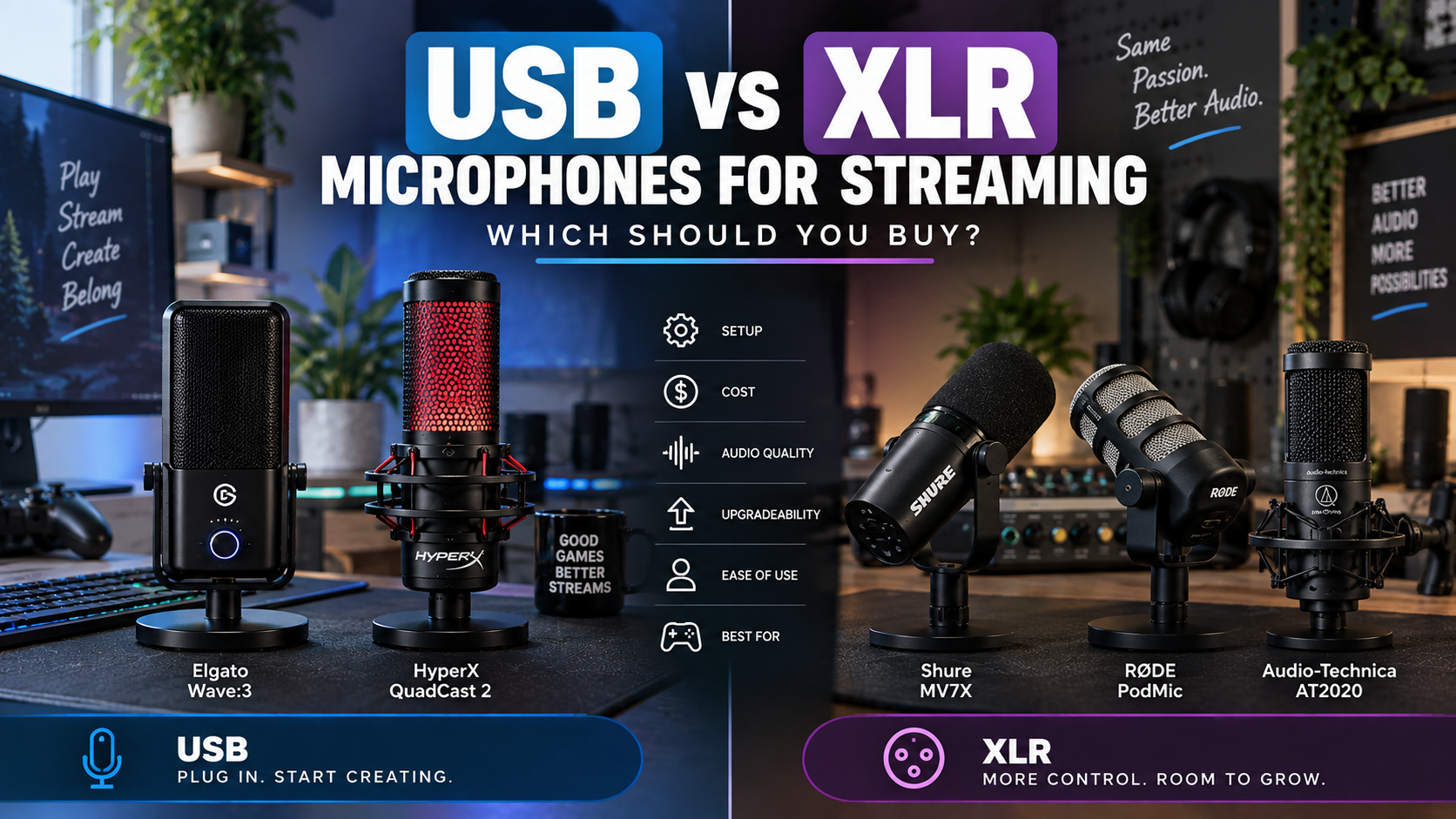
Choosing your first streaming microphone often comes down to a fundamental fork in the road: the plug-and-play simplicity of USB or the versatile, modular power of XLR. Many beginner streamers wonder if XLR automatically sounds better or if USB is simply too limiting for professional broadcasts.
The truth is that neither connection type is universally superior. Your ideal choice depends on your budget, technical comfort level, desk space, and long-term channel goals. Understanding how each format processes audio will help you invest in gear that solves your specific workflow bottlenecks without wasting money on unneeded hardware.
Key Takeaways
- USB microphones plug straight into your computer via USB-C or USB-A, making them ideal for absolute beginners.
- XLR microphones require an audio interface or mixer to convert analog signals into digital data for your PC.
- XLR does not automatically sound better; room acoustics, microphone placement, and gain staging matter far more than the cable type.
- USB setups have a lower initial cost because you do not need to purchase a separate audio interface.
- XLR systems offer incredible upgradeability, letting you swap out microphones or interfaces individually over time.
- Dynamic microphones reject background keyboard clatter better than sensitive condenser microphones.
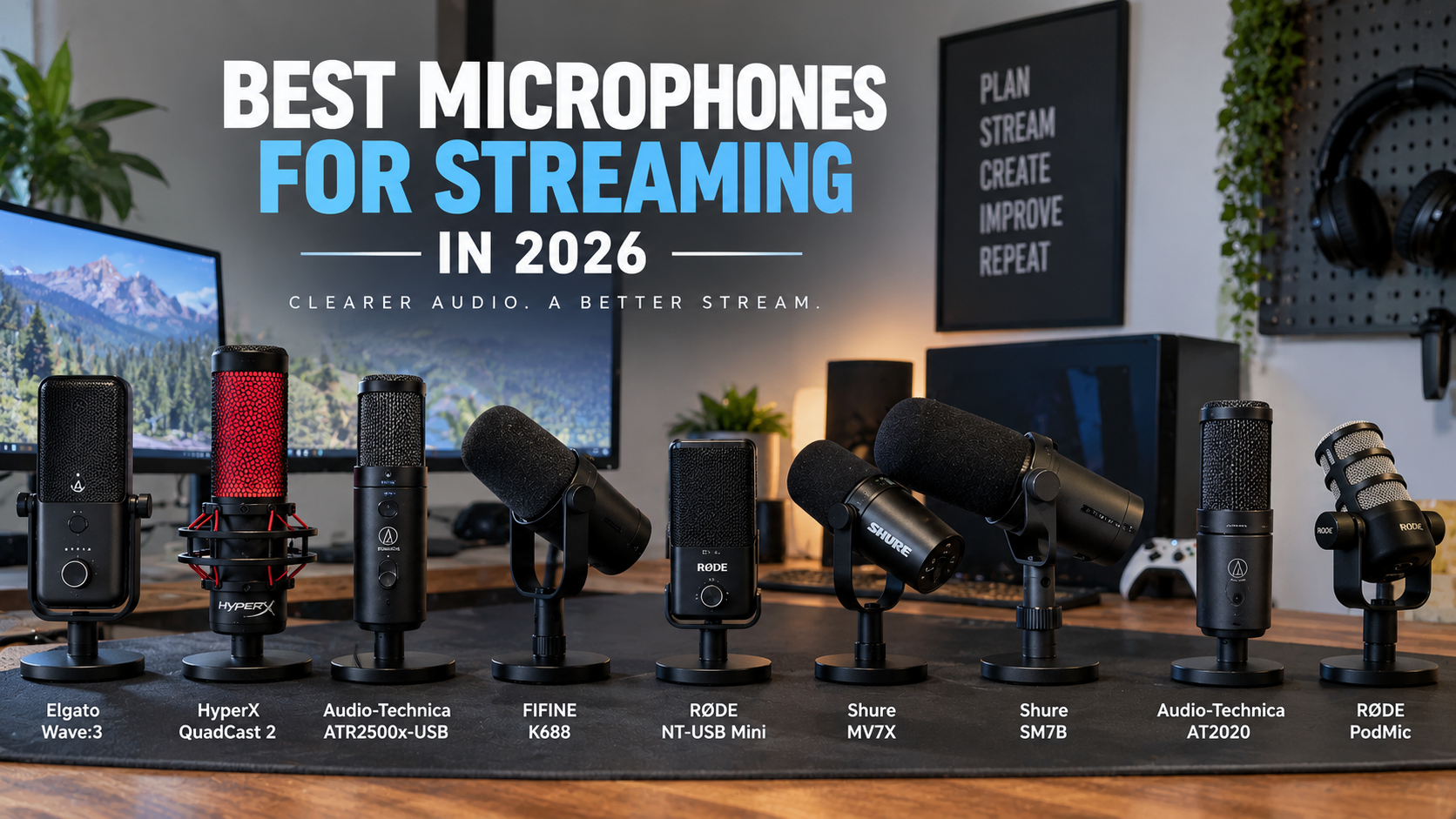
- Popular USB options like the Elgato Wave:3 and HyperX QuadCast 2 provide built-in software controls and muting functions.
- A structured decision framework helps you weigh your immediate streaming needs against future equipment upgrades.
Quick Picks
- Elgato Wave:3 — Streamers wanting software-based audio control without buying an external interface.
- HyperX QuadCast 2 — Gamers who want an out-of-the-box USB mic with included shock absorption.
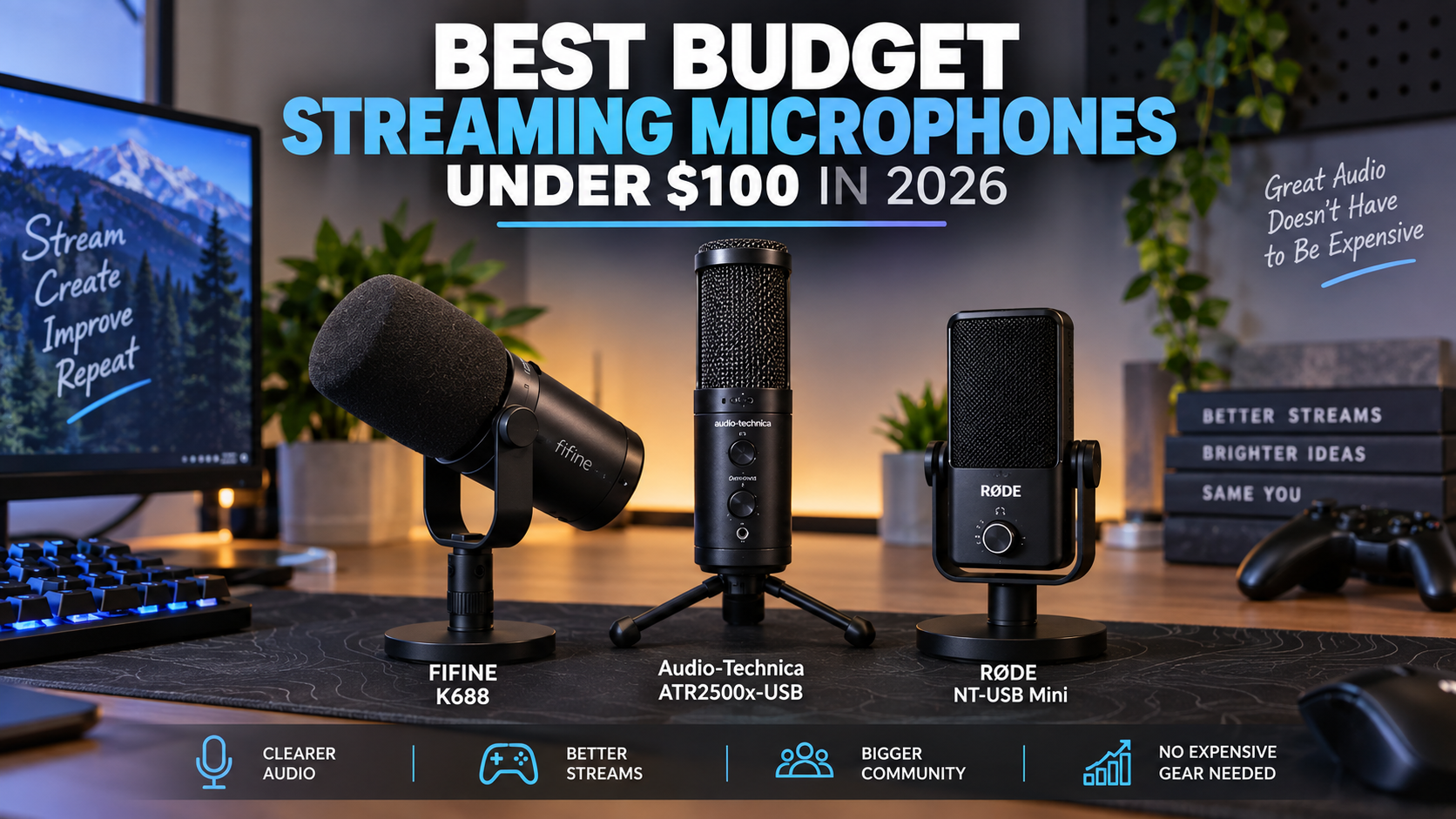
- Audio-Technica ATR2500x-USB — Budget-conscious creators looking for straightforward side-address condenser audio.
- Elgato Wave XLR — Streamers transitioning to an XLR microphone who want software ecosystem support.
- FIFINE K688 — Streamers who want a dynamic USB microphone with potential XLR upgrade flexibility.
Quick Product Comparison
| Product | Best For | Retailer |
|---|---|---|
| Elgato Wave:3 | Streamers wanting software-based audio control without buying an external interface. | Check Price on Amazon |
| HyperX QuadCast 2 | Gamers who want an out-of-the-box USB mic with included shock absorption. | Check Price on Amazon |
| Audio-Technica ATR2500x-USB | Budget-conscious creators looking for straightforward side-address condenser audio. | Check Price on Amazon |
| Elgato Wave XLR | Streamers transitioning to an XLR microphone who want software ecosystem support. | Check Price on Amazon |
| FIFINE K688 | Streamers who want a dynamic USB microphone with potential XLR upgrade flexibility. | Check Price on Amazon |
| Rode NT-USB Mini | Streamers with limited desk space looking for studio-grade USB clarity. | Check Price on Amazon |
| GoXLR Mini alternatives | Advanced creators managing multiple audio channels with physical hardware faders. | Check Price on Amazon |
| Behringer UMC202HD | Budget-focused creators building a multi-input XLR audio chain. | Check Price on Amazon |
Elgato Wave:3
Relevant option
Provides seamless digital mixing software integration and anti-distortion technology for straightforward USB setups.
Who it is best for
Streamers wanting software-based audio control without buying an external interface.
Important features
- Proprietary Clipguard anti-distortion technology
- Wave Link digital mixing software integration
- Capacitive mute sensor
Pros
- Excellent software mixing suite
- Clean, professional aesthetic
- Easy USB-C plug-and-play operation
Cons
- Dependent on software for advanced routing
- Condenser capsule picks up room noise if unmanaged
Elgato Wave:3
View current specifications, availability, and pricing from the retailer.
Best for
Relevant option
Price and availability on Amazon
Check Price on AmazonHyperX QuadCast 2
Relevant option
Delivers a complete USB package with an anti-vibration shock mount and convenient tap-to-mute functionality.
Who it is best for
Gamers who want an out-of-the-box USB mic with included shock absorption.
Important features
- Built-in anti-vibration shock mount
- Tap-to-mute sensor with LED status indicator
- Selectable polar patterns
Pros
- Reduces desk vibration noise effectively
- Intuitive visual mute status
- Simple USB connectivity
Cons
- Larger footprint on crowded desks
- Non-removable stand base requires care if mounting to an arm
HyperX QuadCast 2
View current specifications, availability, and pricing from the retailer.
Best for
Relevant option
Price and availability on Amazon
Check Price on AmazonAudio-Technica ATR2500x-USB
Relevant option
Offers reliable side-address USB condenser performance straight into your streaming PC.
Who it is best for
Budget-conscious creators looking for straightforward side-address condenser audio.
Important features
- Side-address condenser design
- Headphone jack with volume control
- USB-C to USB-A cable included
Pros
- Reliable brand heritage
- Direct headphone monitoring
- Straightforward installation
Cons
- Basic feature set compared to software-integrated mics
- Sensitive condenser capsule requires a quiet room
Audio-Technica ATR2500x-USB
View current specifications, availability, and pricing from the retailer.
Best for
Relevant option
Price and availability on Amazon
Check Price on AmazonElgato Wave XLR
Relevant option
Bridges standard XLR microphones to your PC while providing digital mixing control and protection against clipping.
Who it is best for
Streamers transitioning to an XLR microphone who want software ecosystem support.
Important features
- Proprietary Clipguard anti-distortion technology
- Up to 75dB of ultra-low-noise gain
- Capacitive mute button
Pros
- Drives gain-hungry dynamic mics cleanly
- Integrates with Wave Link software
- Compact footprint on desk
Cons
- Single-channel interface
- Relies on software for full feature access
Elgato Wave XLR
View current specifications, availability, and pricing from the retailer.
Best for
Relevant option
Price and availability on Amazon
Check Price on AmazonFIFINE K688
Relevant option
Acts as an accessible USB option that also features dual connection paths for future flexibility.
Who it is best for
Streamers who want a dynamic USB microphone with potential XLR upgrade flexibility.
Important features
- USB and XLR dual outputs
- Dynamic capsule design for noise rejection
- Mute button and volume controls
Pros
- Bridges USB simplicity and XLR flexibility
- Dynamic capsule curbs background clatter
- Budget-friendly price point
Cons
- Build materials feel lighter than studio-grade gear
- Onboard controls only function in USB mode
FIFINE K688
View current specifications, availability, and pricing from the retailer.
Best for
Relevant option
Price and availability on Amazon
Check Price on AmazonRode NT-USB Mini
Relevant option
A compact, studio-quality USB choice ideal for space-constrained streaming rigs.
Who it is best for
Streamers with limited desk space looking for studio-grade USB clarity.
Important features
- Magnetic desk stand base
- Integrated pop filter
- Zero-latency headphone monitoring
Pros
- Heavy-duty steel and reinforced nylon construction
- Extremely compact footprint
- Clean, neutral frequency response
Cons
- Lacks physical gain dial on the microphone body
- Requires software companion for advanced adjustments
Rode NT-USB Mini
View current specifications, availability, and pricing from the retailer.
Best for
Relevant option
Price and availability on Amazon
Check Price on AmazonGoXLR Mini alternatives
Relevant option
Essential for streamers needing tactile routing controls and physical faders for multiple audio sources.
Who it is best for
Advanced creators managing multiple audio channels with physical hardware faders.
Important features
- Multi-channel audio routing
- Physical motorized or tactile faders
- XLR mic preamp inputs
Pros
- Ultimate tactile control during live shows
- Powerful audio mixing software
- Consolidates multiple audio devices
Cons
- Steeper learning curve for configuration
- Higher overall cost
GoXLR Mini alternatives
View current specifications, availability, and pricing from the retailer.
Best for
Relevant option
Price and availability on Amazon
Check Price on AmazonBehringer UMC202HD
Relevant option
A cost-effective multi-channel audio interface for driving professional XLR microphones.
Who it is best for
Budget-focused creators building a multi-input XLR audio chain.
Important features
- MIDAS-designed microphone preamps
- 2-input/2-output USB 2.0 audio interface
- Zero-latency direct monitoring
Pros
- Affordable entry into multi-channel XLR interfaces
- Solid metal chassis construction
- Reliable driver stability
Cons
- Basic aesthetic compared to broadcast-focused mixers
- Lacks advanced digital routing software suites
Behringer UMC202HD
View current specifications, availability, and pricing from the retailer.
Best for
Relevant option
Price and availability on Amazon
Check Price on AmazonSimple Explanation: USB vs XLR Microphones
The primary difference between USB and XLR microphones lies in where the analog-to-digital conversion takes place. Every microphone captures sound waves as an analog electrical signal. A USB microphone contains a built-in preamp and analog-to-digital converter inside the microphone body itself, allowing it to send digital audio straight to your operating system via a single cable.
An XLR microphone, on the other hand, outputs a pure analog signal through a balanced three-pin XLR cable. Because computers cannot understand raw analog signals, that audio must pass through an external audio interface, mixer, or dedicated preamp before reaching your streaming software.
- USB microphones integrate analog-to-digital conversion inside the housing.
- XLR microphones output balanced analog signals requiring external hardware.
- USB connections rely on your computer or the mic's internal clock for data transfer.
- XLR setups isolate electrical components outside the mic to reduce potential interference.
Dynamic vs Condenser Microphones
Beyond the connection type, you must also consider whether a microphone uses a dynamic or condenser capsule. Condenser capsules are extremely sensitive and capture wide frequency responses with great detail, but they also easily pick up room echo, keyboard clicks, and computer fan noise.
Dynamic capsules feature heavier moving parts that require closer placement to your mouth. This physical limitation actually helps streaming audio by naturally rejecting background noise in untreated rooms.
- Condenser mics offer high sensitivity and crisp detail but demand a quiet room.
- Dynamic mics reject background noise effectively for gaming and streaming.
- Both condenser and dynamic models are available in both USB and XLR formats.
Quick Comparison Table
To quickly evaluate which connection format fits your workflow, review how USB and XLR compare across essential streaming categories. This side-by-side breakdown highlights the practical trade-offs you will encounter during daily setup and broadcast.
- Review setup complexity before committing to a multi-device hardware chain.
- Consider long-term upgrade flexibility if you plan to expand your audio gear.
- Evaluate desktop footprint requirements for interfaces and extra cables.
Top USB Streaming Setups for Plug-and-Play Simplicity
USB microphones dominate the beginner streaming landscape because they eliminate hardware complexity. You simply unpack the microphone, mount it to a desk arm or desk stand, plug the USB cable into your streaming PC, and select it as your recording device in OBS Studio or Streamlabs.
Options like the Elgato Wave:3 provide tailored software ecosystems that let you manage system audio, game audio, and chat audio digitally without physical mixing hardware.
- Zero external interface hardware required to get online.
- Ideal for single-PC streaming setups and laptop creators.
- Often feature onboard headphone monitoring jacks for zero-latency audio checks.
Feature-Rich USB Options Worth Noting
Modern USB microphones offer advanced features that rival traditional studio setups. Many include physical gain dials, tap-to-mute sensors, and selectable polar patterns (such as cardioid, omnidirectional, or figure-eight) to accommodate different recording environments.
The HyperX QuadCast 2 builds on this accessibility by bundling an internal anti-vibration shock mount and convenient LED mute indicators, reducing the need to purchase separate accessories.
- Built-in shock mounts prevent desk bumps from transmitting loud thuds to your stream.
- Tap-to-mute sensors prevent accidental mechanical switch clicks from broadcasting.
- Selectable polar patterns allow for solo streaming or multi-person podcast interviews.
Audio Interfaces and When They Are Required for XLR
If you choose an XLR microphone, you cannot plug it directly into a standard USB port on your computer. You must introduce an audio interface or hardware mixer into your chain. The interface acts as the translator between your analog XLR mic and your PC via USB.
Audio interfaces also supply phantom power (+48V) for condenser microphones that require electrical current to energize their internal capsules, and they provide clean gain to boost weaker dynamic microphone signals.
- External hardware interfaces bridge XLR analog signals to USB computer inputs.
- Phantom power (+48V) is required for XLR condenser microphones.
- Preamps inside the interface boost raw microphone signals to usable line levels.
Setup Cost Differences and Upgradeability
Initial investment is a major differentiator when comparing USB and XLR. A USB microphone is an all-in-one purchase; you buy the mic, plug it in, and you are ready to stream. This keeps initial startup costs low.
XLR setups require a higher upfront investment because you must budget for the microphone, an XLR cable, a sturdy boom arm, and an audio interface. However, XLR shines in long-term upgradeability. If you want a better microphone later, you keep your interface and simply plug in a new mic.
- USB requires a single purchase for immediate out-of-the-box operation.
- XLR requires purchasing a microphone, cable, and interface separately.
- XLR hardware retains long-term value because components can be upgraded independently.
Audio Quality Considerations: Does XLR Automatically Sound Better?
A common misconception in the streaming community is that an XLR cable magically makes a voice sound broadcast-quality. In reality, sound quality depends on microphone capsule design, proper gain staging, mouth-to-mic distance, and room acoustics.
A poorly positioned USB microphone in an untreated, echoey room will sound worse than a well-placed XLR microphone—and vice versa. Focus on acoustic treatment and proper mic technique before assuming hardware upgrades will solve audio clarity issues.
- Cable format does not dictate voice fidelity or frequency response.
- Room echo and hard surfaces degrade audio quality regardless of connection type.
- Proper microphone technique and proximity yield the biggest clarity gains.
Streaming and Gaming Practicality
When you are live on stream, workspace ergonomics matter. USB microphones require just one cable running from your desk to your PC, keeping cable management tidy. They also occupy minimal desk space when mounted correctly.
XLR setups introduce more cable clutter with a dedicated XLR cable running from the mic to your interface, plus the USB cable running from the interface to your PC. If you use a hardware mixer, it will also take up valuable physical desk real estate.
- USB setups simplify cable management with a single connection to the computer.
- XLR configurations involve multiple cables and physical interface placement.
- Physical hardware mixers provide tactile knobs for adjusting levels on the fly.
Advanced Interfaces and Multi-Source Routing
For streamers running dual-PC setups, console capture cards, or complex multi-source audio routing, XLR audio interfaces and hardware mixers provide unmatched control.
Dedicated routing software and physical faders let you control game volume, chat apps, Discord, and alert sounds independently without alt-tabbing out of your game during a live broadcast.
- Physical faders allow tactile, real-time volume adjustments during live broadcasts.
- Multi-channel routing handles dual-PC streaming rigs and console capture smoothly.
- Advanced interfaces offer hardware-based voice effects and signal processing.
Decision Framework: Which Should You Buy?
To make your final purchasing decision, evaluate your current experience level, technical patience, and budget constraints. Choosing the right tool prevents frustration and lets you focus on creating great content for your viewers.
Review the criteria below to see which category matches your streaming goals.
- Choose USB if you want zero setup friction, a lower initial budget, and clean desk space.
- Choose XLR if you plan to upgrade individual audio components over time and want multi-device routing control.
- Verify all driver and software compatibility with your specific operating system before purchasing.
USB vs. XLR Streaming Microphones At a Glance
| Feature | USB Microphones | XLR Microphones |
|---|---|---|
| Initial Cost | Lower (all-in-one package) | Higher (requires mic, cable, and interface) |
| Setup Complexity | Plug-and-play simplicity | Requires audio interface and cable routing |
| Upgradeability | Limited (replace whole unit) | High (upgrade mic or interface separately) |
| Hardware Control | Software-based or basic physical dials | Tactile physical faders and hardware preamps |
| Best For | Beginners and single-PC streamers | Growing channels and multi-source setups |
Frequently Asked Questions
faqQ: Do I need an audio interface for a USB microphone?
No. USB microphones have built-in analog-to-digital converters and preamps, allowing them to plug directly into your computer's USB port.
faqQ: Does an XLR microphone always sound better than a USB microphone?
No. Sound quality depends heavily on room acoustics, microphone placement, gain staging, and capsule quality rather than the cable connection type.
faqQ: Can I plug an XLR microphone directly into my computer?
Standard XLR cables carry analog signals that computers cannot process directly. You need an audio interface, mixer, or XLR-to-USB adapter cable to bridge the connection.
faqQ: Which microphone type is better for beginners?
USB microphones are generally better for beginners because they minimize setup friction, require fewer cables, and have a lower initial cost.
faqQ: What is phantom power and do I need it?
Phantom power (+48V) is an electrical current sent through an XLR cable to power condenser microphones. Dynamic microphones do not require phantom power.
faqQ: Will a dynamic microphone pick up my keyboard clicks?
Dynamic microphones reject background noise much better than condenser microphones, making them ideal for reducing mechanical keyboard clatter during streams.
faqQ: Can I upgrade a USB microphone setup later?
You can upgrade software plugins or add external processing, but hardware-wise, you typically replace the entire USB microphone when upgrading.
faqQ: How do audio interfaces reduce latency?
Audio interfaces feature dedicated hardware monitoring chips that let you listen to your voice in real-time through headphones before the audio travels through the computer operating system.
Conclusion
Choosing between a USB and XLR microphone ultimately comes down to balancing convenience with future flexibility. If you want to start streaming quickly with minimal hardware complexity, a USB microphone like the Elgato Wave:3 or HyperX QuadCast 2 offers exceptional clarity with plug-and-play ease.
If you are building a long-term broadcast rig and want the freedom to upgrade microphones and interfaces independently, investing in an XLR setup paired with an interface provides unmatched modularity. Assess your budget, check your room acoustics, and select the gear that best supports your streaming journey.