hardware guide
Best XLR Microphones for Streaming in 2026
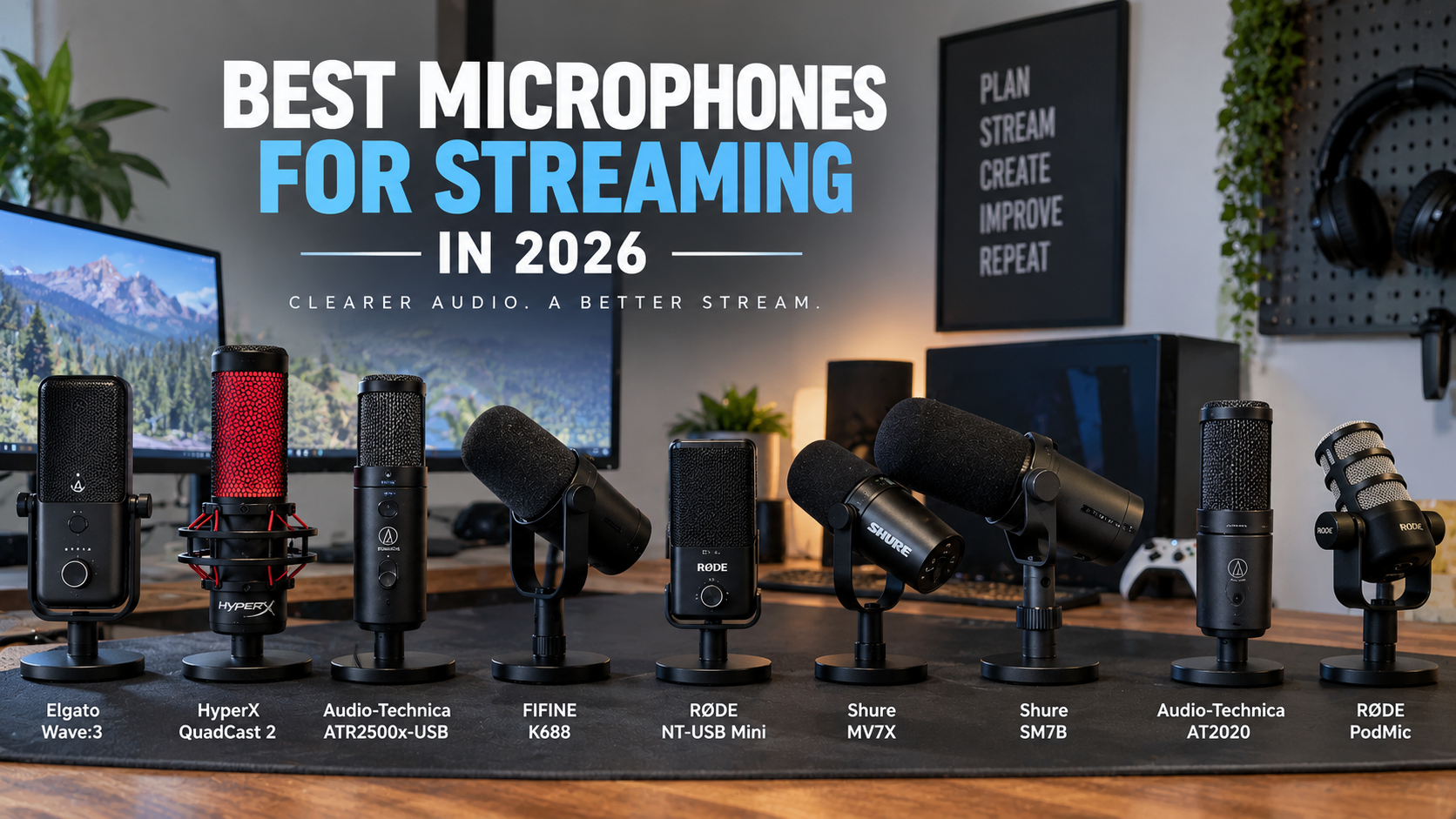
Looking for the best XLR microphone for streaming? We analyze top options like the Shure MV7X, SM7B, RODE PodMic, and AT2020 for budget, room, and voice needs.
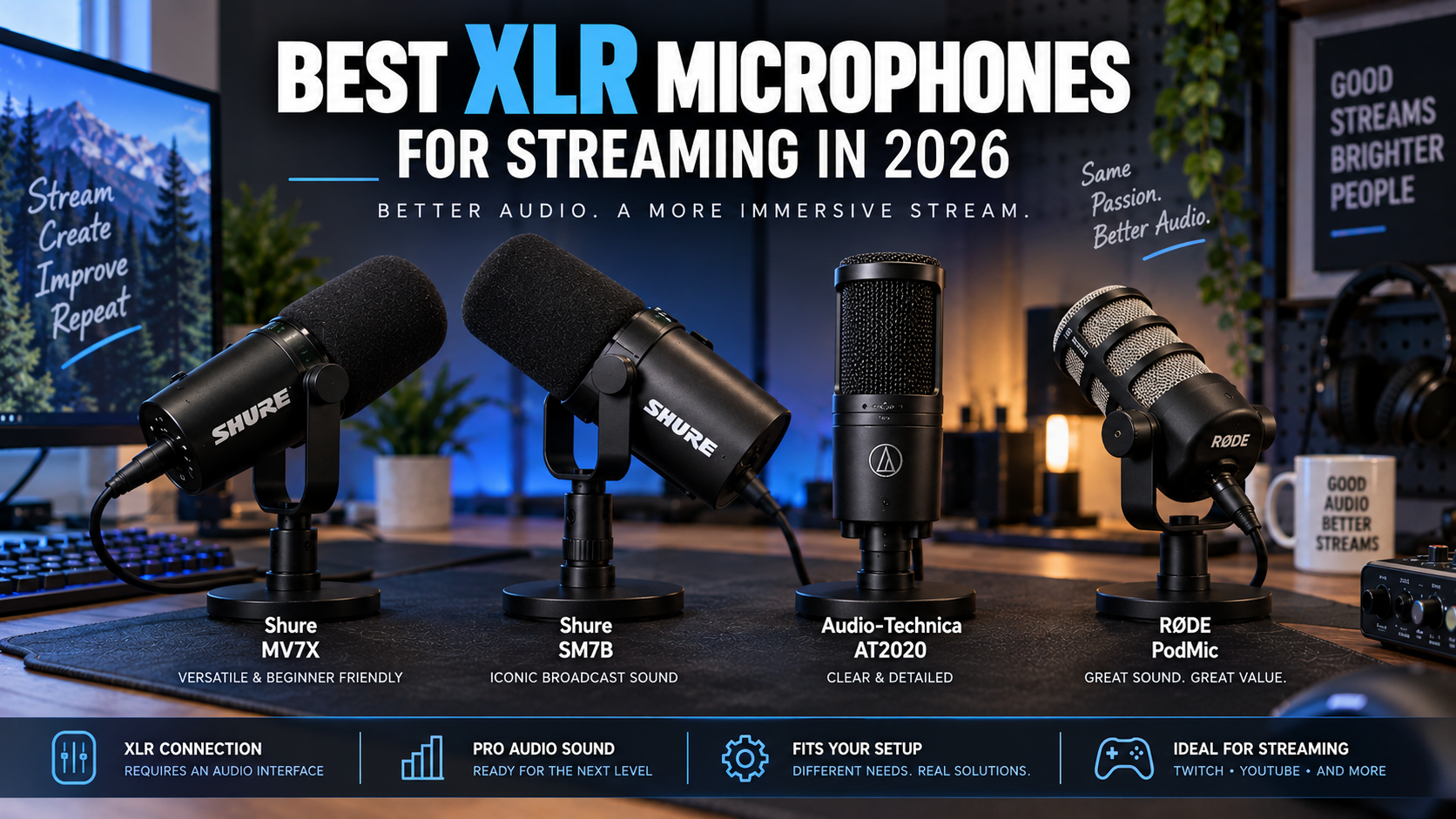
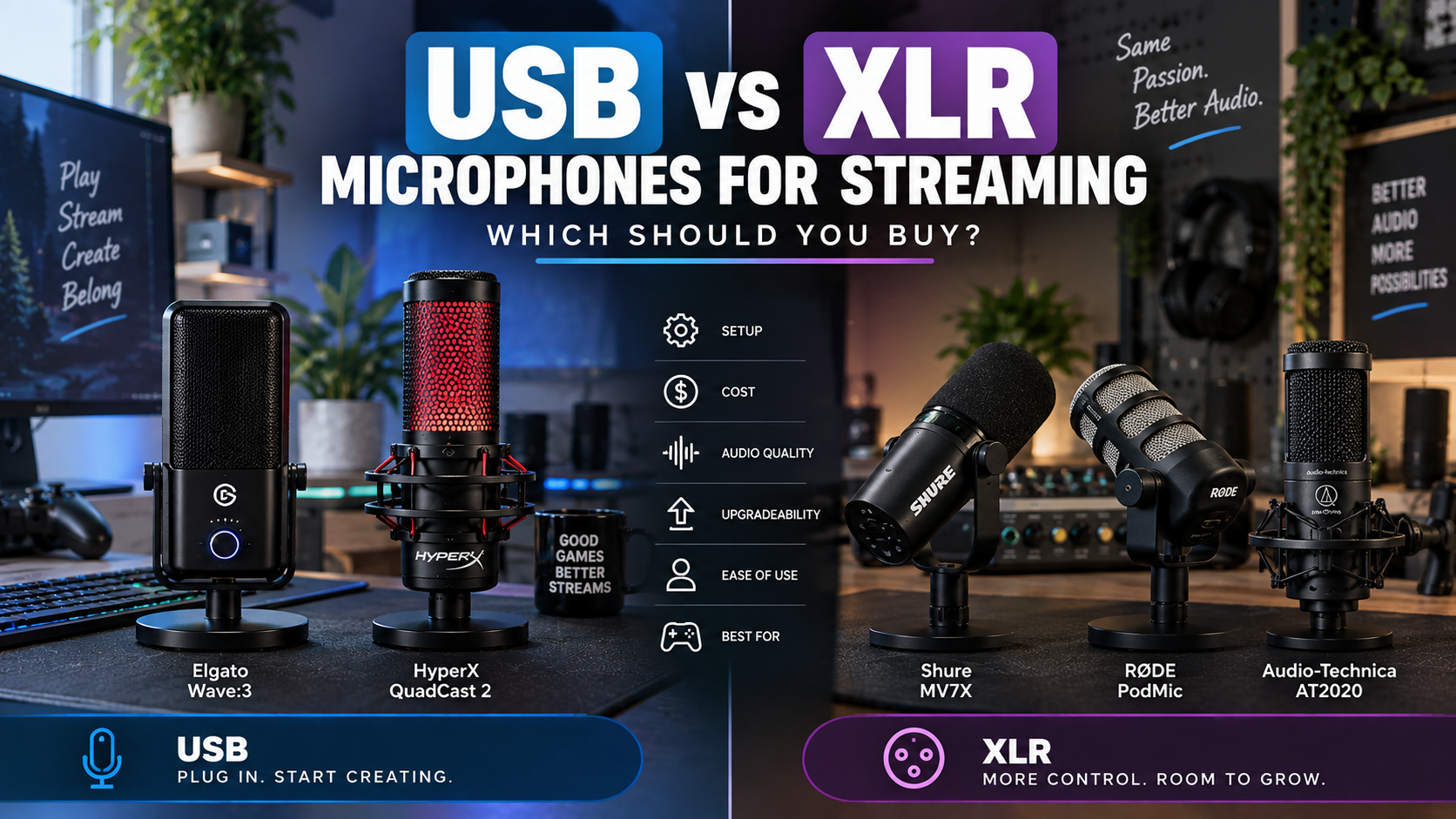
Transitioning from a USB microphone to an XLR setup is one of the most impactful upgrades you can make for your broadcast. If your current audio suffers from background keyboard clatter, room echo, or a lack of broadcast warmth, moving to a dedicated XLR streaming microphone solves these bottlenecks by separating your capsule from the analog-to-digital conversion process.
However, choosing the right model requires balancing your room acoustics, budget, and experience level. While high-end broadcast options offer incredible voice depth, they also demand proper interface pairing and gain staging. This guide evaluates top industry standards—including the Shure MV7X, Shure SM7B, Audio-Technica AT2020, and RODE PodMic—to help you select the ideal microphone for your specific streaming environment.
Key Takeaways
- XLR microphones require an audio interface or mixer and an XLR cable to function, adding to your initial hardware footprint.
- Dynamic microphones like the Shure MV7X, SM7B, and RODE PodMic excel at rejecting background noise in untreated rooms.
- Condenser options like the Audio-Technica AT2020 capture exceptional detail but pick up more ambient sound and keyboard clicks.
- Gain requirements vary; low-sensitivity dynamic mics may require clean preamp gain or a signal booster to achieve optimal broadcast levels.
- Expensive broadcast mics like the SM7B deliver diminishing returns unless paired with proper room treatment and clean preamps.
- Beginners can achieve professional audio quality without spending a fortune by matching a mid-tier dynamic mic with a reliable USB interface.
Quick Picks
- Elgato Wave XLR — Streamers wanting digital mixing software integration with their XLR mic
- Focusrite Scarlett 2i2 — Creators needing hardware durability and proven preamps
- GoXLR Mini alternatives — Streamers who want physical faders and multi-source audio control
- Audio-Technica ATR2500x-USB — Streamers skipping the XLR hardware learning curve
- Elgato Wave:3 — Streamers seeking all-in-one digital control and USB simplicity
XLR Microphone Comparison Matrix
| Microphone | Type | Best For | Key Advantage | Gain Demand |
|---|---|---|---|---|
| Shure MV7X | Dynamic | Twitch & YouTube streamers wanting broadcast tone | Affordable alternative to the SM7B | Moderate |
| Shure SM7B | Dynamic | Professional studios & high-end broadcasts | Legendary radio voice isolation and warmth | High |
| RODE PodMic | Dynamic | Budget-conscious podcasters and gamers | Heavy-duty build with rich low-end response | Moderate |
| Audio-Technica AT2020 | Condenser | Acouetically treated rooms & vocal detail | Crisp studio-grade high-frequency clarity | Low (Requires 48V) |
Elgato Wave XLR
Relevant option
Provides clean preamp gain and software control for XLR microphones.
Who it is best for
Streamers wanting digital mixing software integration with their XLR mic
Important features
- Up to 75dB of ultra-low-noise gain
- Capacitive mute button
- Proprietary Clipguard anti-distortion technology
- Wave Link software integration for audio routing
Pros
- Excellent software routing capabilities
- Protects against sudden loud audio spikes
- Compact footprint on desk
Cons
- Single XLR input limits multi-mic setups
- Software-dependent for advanced features
Elgato Wave XLR
View current specifications, availability, and pricing from the retailer.
Best for
Relevant option
Price and availability on Amazon
Check Price on AmazonFocusrite Scarlett 2i2
Relevant option
Industry-standard multi-input audio interface for reliable XLR connectivity.
Who it is best for
Creators needing hardware durability and proven preamps
Important features
- Two upgraded detailed microphone preamps
- Air mode for added vocal presence
- High-performance converters for 24-bit/192kHz audio
- Easy-start quick configuration tool
Pros
- Rock-solid driver stability across platforms
- Dual inputs support guest mics or instruments
- Durable metal casing
Cons
- Lacks advanced digital channel routing software
- May need gain boosting for very quiet dynamic mics
Focusrite Scarlett 2i2
View current specifications, availability, and pricing from the retailer.
Best for
Relevant option
Price and availability on Amazon
Check Price on AmazonGoXLR Mini alternatives
Relevant option
Offers robust audio mixing features and routing for complex broadcast setups.
Who it is best for
Streamers who want physical faders and multi-source audio control
Important features
- Multi-channel hardware mixing
- Built-in voice effects and EQ controls
- Dedicated routing table for app audio
- Mute buttons for individual channels
Pros
- Complete tactile control over stream audio
- Simplifies complex dual-PC or multi-app setups
- Sturdy desk console design
Cons
- Higher learning curve for audio routing
- Larger footprint than compact audio interfaces
GoXLR Mini alternatives
View current specifications, availability, and pricing from the retailer.
Best for
Relevant option
Price and availability on Amazon
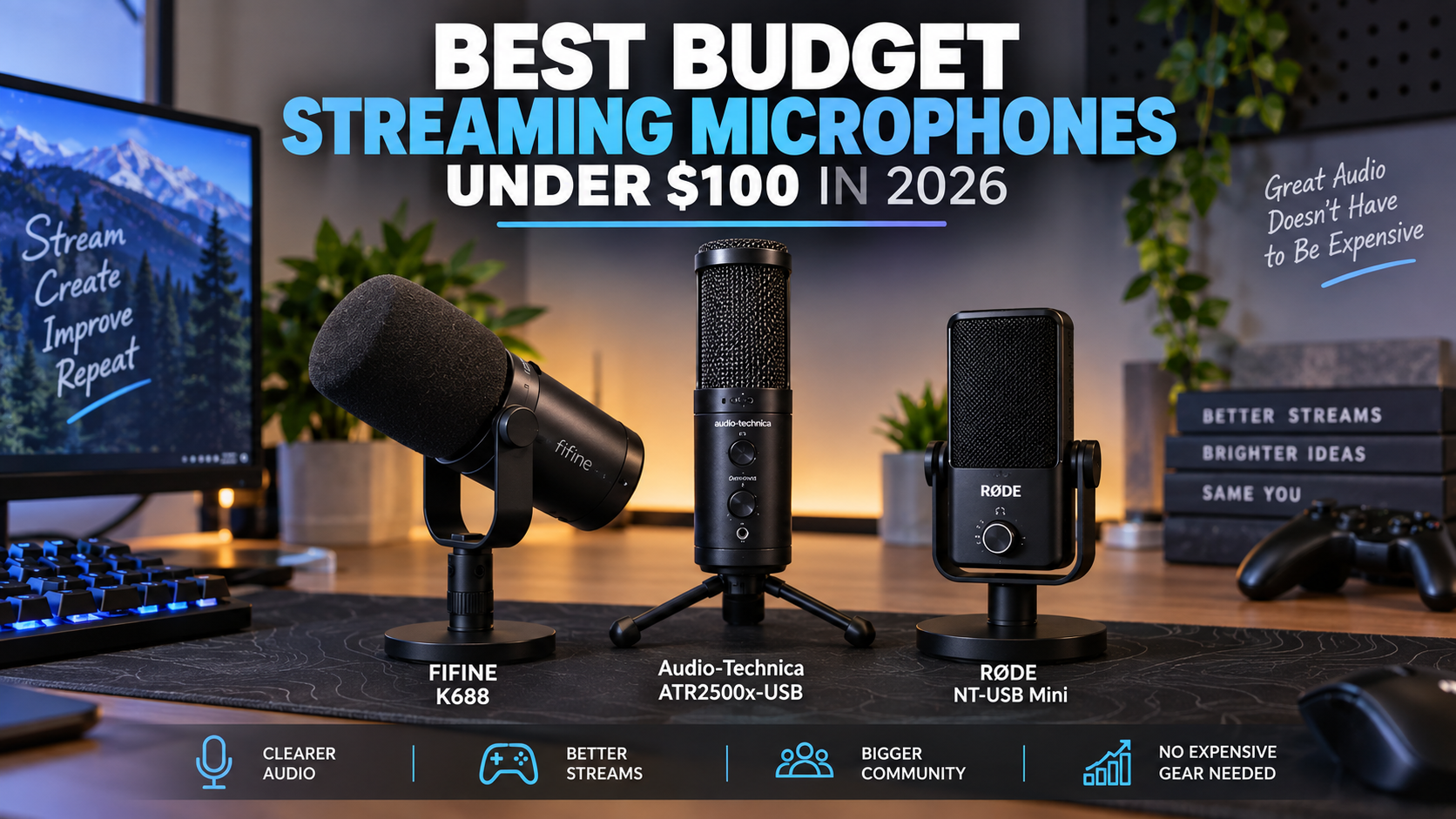
Check Price on AmazonAudio-Technica ATR2500x-USB
Relevant option
A direct USB option for streamers who want structured sound without an interface.
Who it is best for
Streamers skipping the XLR hardware learning curve
Important features
- Direct USB-C connection
- Cardioid polar pattern reduces side pickup
- Headphone jack with volume control
- Low-mass diaphragm for steady frequency response
Pros
- No audio interface or extra cables required
- Affordable entry point into branded vocal capture
- Includes desktop tripod and cables
Cons
- Lacks the upgrade flexibility of true XLR gear
- Sensitive to handling noise and table bumps
Audio-Technica ATR2500x-USB
View current specifications, availability, and pricing from the retailer.
Best for
Relevant option
Price and availability on Amazon
Check Price on AmazonElgato Wave:3
Relevant option
Integrates software mixing directly into a high-quality USB microphone.
Who it is best for
Streamers seeking all-in-one digital control and USB simplicity
Important features
- Proprietary Clipguard technology
- Wave Link digital mixing software
- Multifunctional control dial
- Tight cardioid condenser capsule
Pros
- Exceptional companion software for stream routing
- Clean aesthetic for on-camera shots
- Tap-to-mute capacitive sensor
Cons
- Condenser capsule picks up room reflections easily
- Tied into USB workflow limitations
Elgato Wave:3
View current specifications, availability, and pricing from the retailer.
Best for
Relevant option
Price and availability on Amazon
Check Price on AmazonFIFINE K688
Relevant option
Affordable alternative for those testing the waters of broadcast-style voice capture.
Who it is best for
Budget creators wanting dual USB and XLR connection flexibility
Important features
- Hybrid USB and XLR output connections
- Dynamic capsule design
- Mute button and volume controls
- Shock mount included
Pros
- Highly accessible price point
- Versatile connectivity for future upgrades
- Decent ambient noise rejection
Cons
- Build quality uses more plastics than high-end units
- Preamp response varies depending on USB mode
FIFINE K688
View current specifications, availability, and pricing from the retailer.
Best for
Relevant option
Price and availability on Amazon
Check Price on AmazonHyperX QuadCast 2
Relevant option
Popular USB choice featuring quick-mute and dampening features for gaming streams.
Who it is best for
Gamers who want plug-and-play setup with intuitive hardware mute
Important features
- Tap-to-mute sensor with LED status indicator
- Anti-vibration shock mount included
- Selectable polar patterns
- Built-in pop filter
Pros
- Very user-friendly for beginner streamers
- Effective anti-vibration mount built into chassis
- Clear operational status lighting
Cons
- Bulky form factor on desk
- Non-upgradable USB capsule
HyperX QuadCast 2
View current specifications, availability, and pricing from the retailer.
Best for
Relevant option
Price and availability on Amazon
Check Price on AmazonRode NT-USB Mini
Relevant option
Compact and portable USB solution for clean voice reproduction on a budget.
Who it is best for
Streamers with limited desk space looking for clean vocal clarity
Important features
- Studio-quality condenser capsule
- Magnetic desk stand base
- Integrated pop filter
- Zero-latency headphone monitoring
Pros
- Compact steel and reinforced nylon construction
- Very easy to position under monitors
- Reliable RODE build quality
Cons
- No physical onboard gain dial
- Picks up mechanical keyboard sounds in untreated rooms
Rode NT-USB Mini
View current specifications, availability, and pricing from the retailer.
Best for
Relevant option
Price and availability on Amazon
Check Price on AmazonUnderstanding the Core Components: What Else Do You Need?
Unlike plug-and-play USB alternatives, an XLR streaming microphone cannot connect directly to your computer. It requires an analog connection path that includes an XLR cable and a hardware audio interface or mixer. The interface translates the analog signal from the microphone into digital audio that your streaming software can process.
When planning your budget, remember to factor in these required ancillary components. Many audio interfaces provide phantom power for condenser models and clean preamp gain for dynamic models, ensuring your voice comes through loud and clear without introducing background hiss.
- Standard 3-pin XLR cable to connect the microphone to your interface
- An audio interface or mixer with dedicated preamps
- A sturdy boom arm or desk stand capable of supporting heavier broadcast mics
- Optional pop filter or windscreen for plosive control
Evaluating Gain Requirements
Dynamic microphones often feature low output sensitivity. This means your interface's built-in preamps must work harder to boost your voice to optimal streaming volumes. Checking your interface's maximum gain range prevents unexpected quietness during quiet speaking parts.
- Low-sensitivity mics require clean preamp gain (typically 55dB to 60dB+)
- External signal boosters can help older or budget interfaces drive demanding dynamic capsules
- Always test your voice levels in OBS Studio or your preferred streaming software before going live
Dynamic vs. Condenser Microphones for Streaming Rooms
The most critical choice you will make when shopping for the best XLR mic for streaming is deciding between dynamic and condenser capsule designs. Each technology interacts with your physical recording space differently.
If you stream in an untreated room with hard floors, bare walls, and mechanical keyboard noise, a dynamic microphone is usually the safer choice. Dynamic capsules have lower sensitivity and reject off-axis sounds, keeping your keyboard clatter and room echoes out of your broadcast.
- Dynamic microphones focus tightly on close-up audio sources and minimize room reflections
- Condenser microphones capture wider frequency responses and subtle vocal nuances
- Condensers require 48V phantom power delivered via your audio interface
When to Choose a Condenser Microphone
Condenser microphones, such as the Audio-Technica AT2020, shine in controlled environments with acoustic treatment. They deliver an airy, highly detailed top-end that flatters vocalists and podcasters who want studio-grade fidelity.
- Best suited for quiet rooms with acoustic panels or foam
- Captures whisper details and broader dynamic ranges naturally
- Demands careful microphone placement to avoid computer fan and keyboard pickup
The Showdown: Shure MV7X vs. RODE PodMic vs. Shure SM7B
Three dynamic models dominate conversations about professional streaming microphones: the Shure MV7X, the RODE PodMic, and the flagship Shure SM7B. Understanding their distinct voicing and hardware demands helps clarify which one belongs on your desk.
The Shure MV7X borrows the iconic acoustic design of the SM7B at a fraction of the cost, making it an incredible value for streamers who want broadcast warmth without shelling out for an expensive flagship mic. Meanwhile, the RODE PodMic offers a heavy-duty all-metal chassis with a built-in pop filter tailored for spoken-word applications.
- Shure MV7X provides smooth, rich mid-range focus optimized for speech
- RODE PodMic delivers robust low-end proximity effect in a compact footprint
- Shure SM7B remains the gold standard for radio-style broadcast presence but demands heavy preamp gain
Choosing Between the Shure MV7X and SM7B
While the SM7B is legendary in professional recording studios and top-tier creator setups, the MV7X delivers remarkably similar vocal tone for standard streaming applications. If your budget is flexible and you already own a high-gain interface, the SM7B is a premier investment. If you want maximum value and easier gain staging, the MV7X is the practical choice.
- MV7X focuses purely on the XLR connection, dropping the hybrid USB functionality of the standard MV7 to save money
- SM7B features internal electromagnetic shielding and a sophisticated bass rolloff switch
- Both mics require careful positioning close to the mouth for optimal proximity effect
Are Expensive XLR Microphones Worth It?
A common dilemma for upgrading streamers is whether spending upwards of $400 on a high-end professional streaming microphone yields noticeable improvements over a $150 budget XLR microphone.
In practice, audio gear is subject to the law of diminishing returns. Once you cross into dedicated broadcast XLR territory, the leap in quality depends heavily on your room acoustics and audio processing. An expensive microphone placed in an echoey room will still sound echoey, whereas a well-placed mid-tier mic with basic software EQ often sounds indistinguishable to viewers.
- Mid-tier XLR mics capture over 90 percent of professional vocal clarity
- Room treatment and proper mic technique matter more than raw hardware cost
- Investing in a clean audio interface provides more functional benefit than buying an ultra-expensive mic on a weak preamp
The Smart Upgrade Path for Streamers
If you are moving away from a basic USB setup, start with a dependable mid-range XLR microphone and an audio interface. Learn how to dial in compression and noise gates in OBS Studio before considering flagship hardware.
- Upgrade your microphone placement and boom arm first
- Experiment with software filters before purchasing external hardware processors
- Save premium microphone purchases for when your channel and production workflow demand studio-grade reliability
Frequently Asked Questions
faqQ: Do I need an audio interface for an XLR microphone?
Yes. XLR microphones output an analog signal that cannot plug directly into standard computer USB ports. You need an audio interface or mixer to convert the analog signal to digital and supply power.
faqQ: Are dynamic or condenser XLR mics better for streaming?
Dynamic microphones are generally better for typical streaming rooms because they reject background noise, keyboard clicks, and room echo. Condenser mics capture more detail but require a treated acoustic environment.
faqQ: Why is my XLR microphone so quiet?
Dynamic microphones have low output sensitivity and require substantial preamp gain from your audio interface. If your voice is too quiet, you may need to increase your interface gain or add a clean signal booster.
faqQ: Is the Shure SM7B worth it for streaming?
The Shure SM7B is an industry standard for broadcast audio, but it requires a high-gain preamp. For most streamers, options like the Shure MV7X provide similar vocal tone at a much lower cost.
faqQ: Can I connect an XLR microphone to a USB port directly?
Standard XLR cables do not plug into USB ports. However, some hybrid microphones offer both USB and XLR outputs, or you can use an XLR-to-USB adapter cable, though an audio interface provides superior audio performance.
faqQ: What accessories do I need with an XLR microphone?
At minimum, you need an XLR cable and an audio interface. A boom arm or desk stand is also essential to position the microphone close to your mouth and prevent desk vibrations.
faqQ: Does 48V phantom power damage dynamic microphones?
Modern dynamic microphones are generally unaffected by 48V phantom power. However, it is always best practice to turn phantom power off unless you are using a condenser microphone or active inline preamp.
Conclusion
Upgrading to an XLR streaming setup transforms your audio clarity, eliminating the limitations of basic USB capsules and giving you precise control over your broadcast voice. Whether you choose the value-packed Shure MV7X, the studio-grade Shure SM7B, the robust RODE PodMic, or the detailed Audio-Technica AT2020, matching your microphone to your room acoustics and interface capability is the key to success.
Evaluate your workspace, check your interface gain requirements, and invest in proper microphone placement to get the absolute best performance from your new broadcast gear.